Best Practices for Sharing Accounts with Strangers Online
Sharing subscriptions with strangers might sound risky—but with the right precautions, it can be safe, smart, and mutually beneficial. Whether you’re looking to split the cost of Netflix, Spotify, or Canva, following a few best practices can help protect your data, ensure fair use, and avoid account bans.
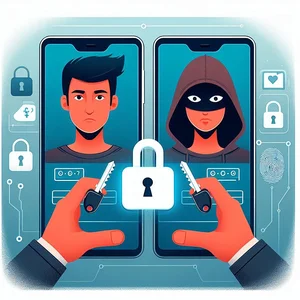
Let’s dive into the top tips for sharing accounts with people you’ve never met.
1. Use Unique Passwords (And Don’t Reuse Them)
If you’re sharing access to an account, never use the same password you use for personal email, banking, or other sensitive services.
- Use a strong, random password generated with a manager like Bitwarden or 1Password.
- Consider changing the password periodically—especially if someone leaves the group.
Bonus tip: Create a shared email for services so you don’t give away your personal inbox.
2. Know Your User Limits (and Enforce Them)
Each service has its own limits on:
- Number of users/profiles
- Concurrent streams
- Allowed devices
- Household restrictions
Examples:
- Netflix only allows extra members in the same country (with restrictions).
- Spotify Duo requires users to live at the same address.
- Disney+ supports up to 7 profiles, but only 4 simultaneous streams.
Violating these rules could lead to account suspensions or bans.
3. Communicate Expectations Clearly
When sharing with strangers, it’s essential to agree on:
- Who pays and when
- What happens if someone leaves
- How to handle password changes or service disruptions
- Whether you’re allowed to create personal profiles
- Whether anyone else can invite new members
Set these ground rules early. A private message thread can be enough.
4. Use a Trusted Platform Made for Sharing
That’s where Share-Accounts comes in.
- Ban system for members that don’t follow the rules
- Dispute resolution and fraud reports
We don’t just help you find people to share with—we help you stay in control of your accounts.
5. Clean Up When Someone Leaves
If a group member leaves (or is removed), take these steps:
- They won’t be able to rejoin. The system automatically bans them from the group (if they were expeled).
- Change the account password.
- The group will automatically reopen to find a replacement member.
- Update the group’s shared rules if necessary.
Treat your subscription like a co-owned apartment: keep it tidy, safe, and fair.
Conclusion
Account sharing doesn’t have to be dangerous or chaotic. By following these simple best practices, you can safely split subscriptions with others and enjoy premium services for a fraction of the cost.
And if you’re ready to share smarter, not harder—check out Share-Accounts today.
Join a trusted community. Share better. Pay less.
More from the blog: